

Table of Contents
In the 2026 digital landscape, writing a blog post is no longer just about stringing keywords together to please search algorithms. With AI models and human users both demanding high-quality information, your content must satisfy E-E-A-T (Experience, Expertise, Authoritativeness, and Trustworthiness) while offering a frictionless, fast-loading experience on your WordPress site.
If you have already followed our guide on building a professional portfolio, you know how important it is to establish authority. Now, here is the exact, step-by-step blueprint to write, optimize, and publish top-ranking blog posts using the WordPress block editor in 2026.
Phase 1: Keyword Research and Search Intent
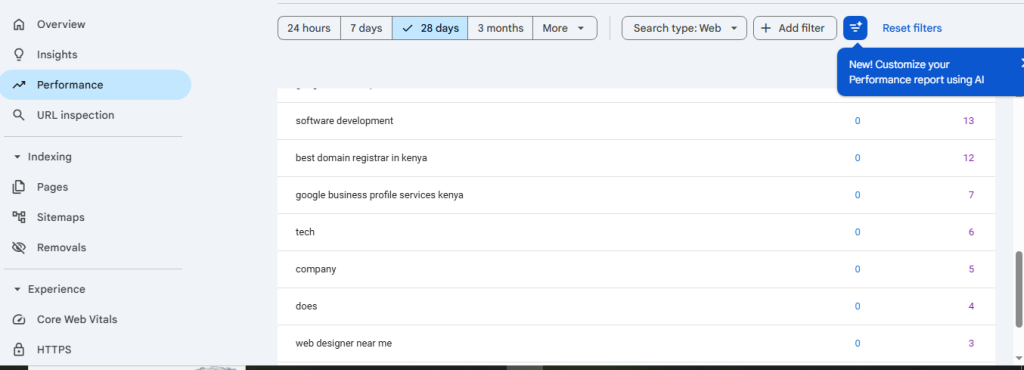
Before typing a single word, you must understand exactly what your audience is searching for and the intent behind the query.
- Find the Gaps: Focus on long-tail questions that users in your niche are asking rather than high-competition, broad keywords.
- Determine Intent: Check whether the searcher wants to learn (informational intent), compare (investigational intent), or buy (transactional intent).
- The WordPress Approach: Use business blogging to drive traffic, leads, and sales by targeting questions your customers ask repeatedly.
Phase 2: Structural Planning and Scannability
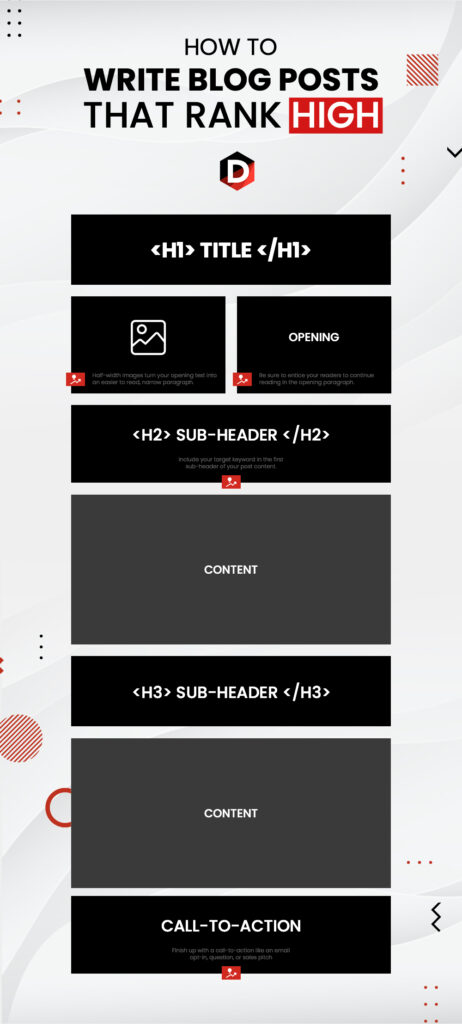
In 2026, user attention spans are short. Scannable, modular formatting is a conversion and ranking requirement.
- The Title (H1): Place the primary keyword close to the front. Make it outcome-focused (e.g., How to Build a High-Converting Website in Kenya (2026 Guide)).
- Headings (H2, H3): Break down the content into logical sub-topics. Use H2 for main sections and H3 for practical steps.
- Short Paragraphs: Limit paragraphs to 2 to 3 sentences to keep mobile readers engaged.
Phase 3: WordPress SEO Setup and Optimization
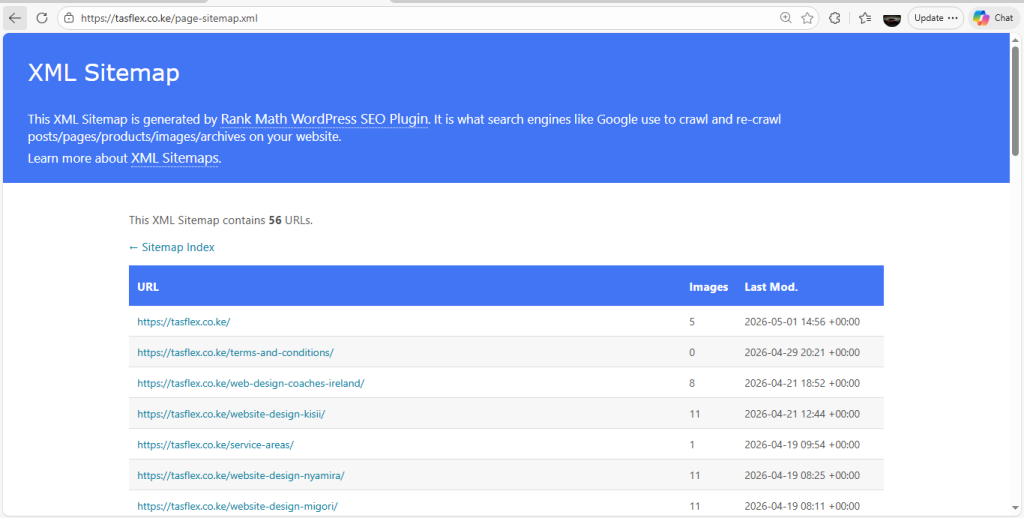
To ensure search engines read your content correctly, optimize your on-page elements within your WordPress dashboard.
- Clean Permalinks: Keep your URL structure short and descriptive (e.g.,
yourdomain.com/blog/topic-name). - Use an SEO Plugin: Install tools like Rank Math or Yoast SEO to manage your meta descriptions, titles, and XML sitemaps.
- Add Schema Markup: Ensure your plugin or theme includes Schema for articles and FAQs to help your content appear in AI overviews.
Phase 4: Content Generation and the E-E-A-T Formula
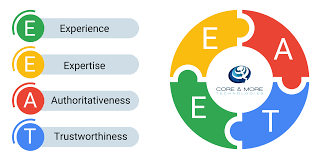
Search engines reward content that demonstrates personal experience and deep subject-matter expertise.
- Add Original Insights: Do not merely summarize other top-ranking posts. Add personal case studies, regional data, or screenshots of your own work.
- Use the FAB Formula: When discussing tools or services, use Features, Advantages, and Benefits.
- Cite Authority Sources: Link out to recognized industry metrics, and encourage readers to position their brand to charge premium prices by citing expert resources.
Phase 5: Conversion Optimization and Internal Linking
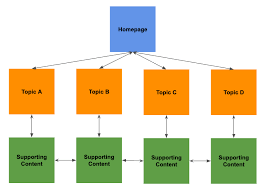
A top-ranking post is a high-performing landing page. Guide the reader to take action.
- Internal Linking: Link to your related service pages and relevant blogs, such as our WordPress hosting guide.
- Call to Action (CTA): End your post with an action-oriented link, such as getting a quote on WhatsApp or scheduling a strategy call.
- Add Functionality: Ensure your posts have features that increase sales like clean WhatsApp chat icons or fast NVMe hosting speeds.
2026 Blogging Tool Stack
| Tool | Purpose | Cost |
| Rank Math SEO | WordPress On-page SEO | Free / Premium |
| NeuronWriter | Semantic SEO and AI outlines | From $19/month |
| Grammarly Business | Checking tone and clarity | Premium |
| Google Search Console | Tracking indexing and queries | Free |
Frequently Asked Questions (FAQs)
1. How long should a blog post be to rank in 2026?
There is no minimum word count, but comprehensive, in-depth posts (800 to 2,000 words) that answer a problem thoroughly tend to rank highest.
2. Can I use AI to write my WordPress blog posts?
You can use AI for research and outlines, but you must add personal expertise and real-world examples to avoid search engine penalties.
3. How do I get my post indexed by Google quickly?
Publish the post, grab the URL, and submit it directly to the Google Search Console URL inspection tool.
4. How many internal links should I include in a post?
Include 2 to 5 internal links per 1,000 words to guide readers to your other resources without overwhelming them.
5. Should I allow comments on my blog?
Yes, comments build community and show activity, but use an anti-spam plugin like Akismet to keep the comment section clean.
Build an Authority Voice.
Writing a top-ranking blog post is a reliable long-term strategy that brings high-intent traffic to your site without constant advertising spend. At Tasflex Designs, we build websites with optimized, clean architecture designed to support content marketing and business growth.
Explore our Web Design and SEO services and let’s start telling your story.