
Table of Contents
You spend hours crafting the perfect promotional offer, client follow-up, or monthly newsletter. You review the copy, hit send to your carefully built subscriber list, and wait for the replies to roll in. But days pass, and your inbox remains completely silent. When you finally call a client to follow up, they tell you the exact words every business owner dreads: “Oh, it went to my spam folder.” or “which email are you talking about?”
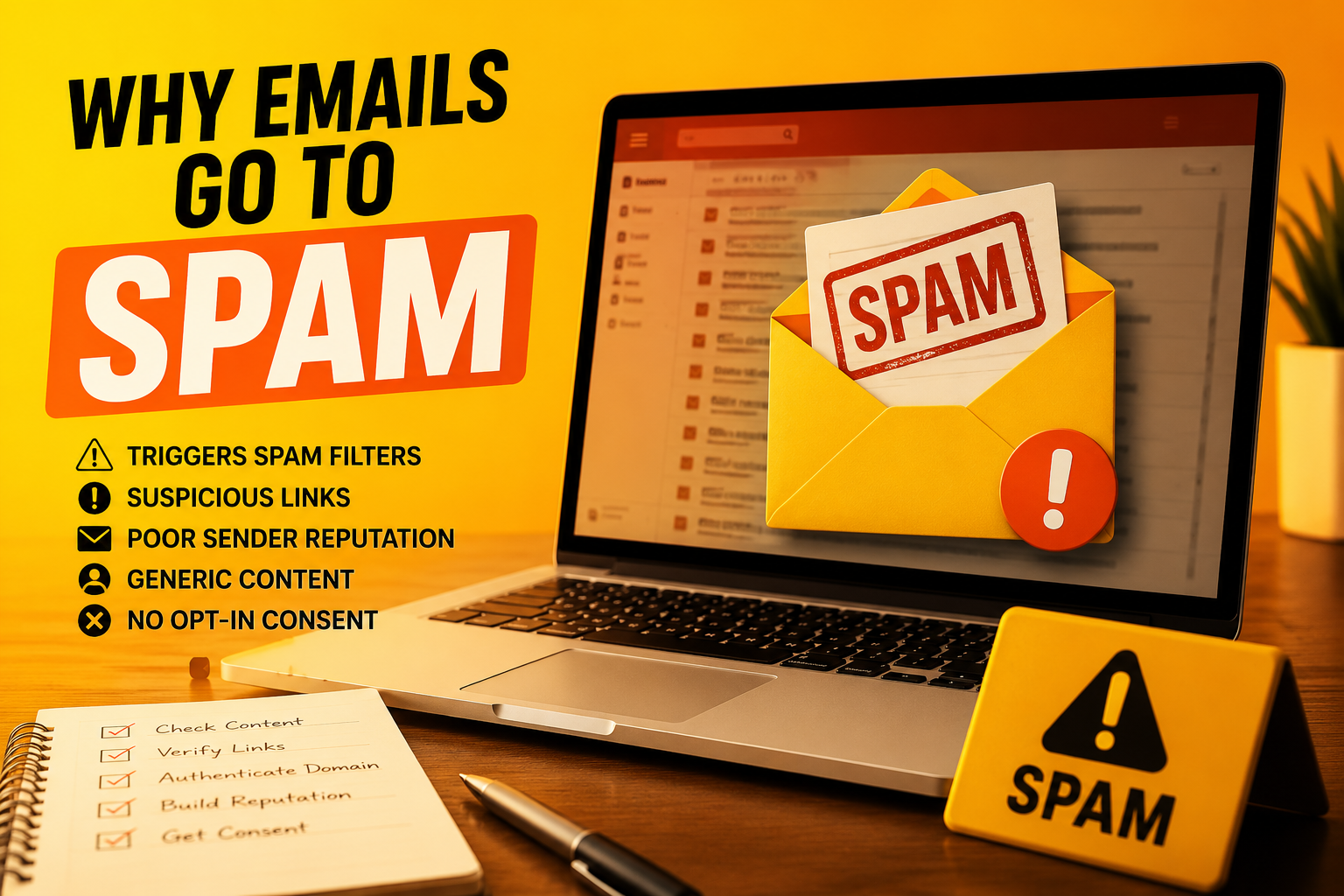
If you are constantly asking yourself why your emails go to spam, you are not alone. Modern email providers like Gmail, Outlook, and Yahoo have incredibly strict, automated filters designed to protect users from malicious phishing attacks and endless junk mail. Unfortunately, these filters often catch legitimate small business communications in the crossfire.
Getting your messages delivered straight to the primary inbox is critical for maintaining customer relationships and driving revenue. Let’s unpack the hidden reasons your emails are being flagged as junk and look at exactly how to fix your deliverability today.
1. Missing or Broken Email Authentication Records
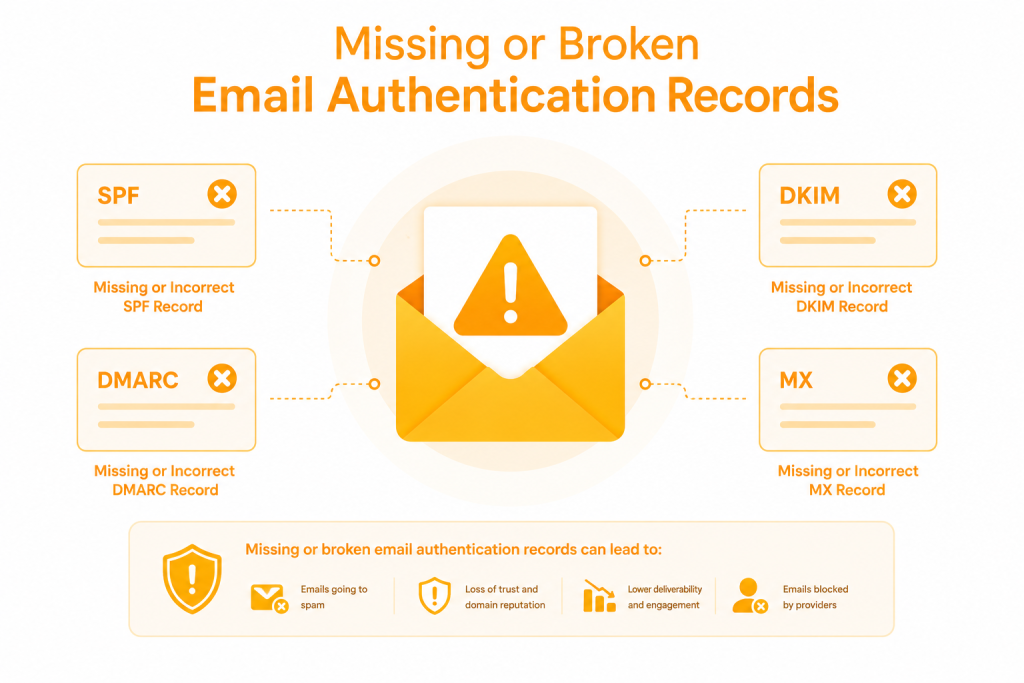
This is the number one reason legitimate business emails get sent to the spam folder. Think of email authentication like a digital passport. When an email arrives at a server (like Gmail), that server checks your passport to make sure you are who you say you are.
If you are sending emails from a custom domain (like steve@yourbusiness.co.ke) but you haven’t set up your authentication records, receiving servers will immediately assume you are a scammer trying to impersonate a business.
The Core Authentication Protocols:
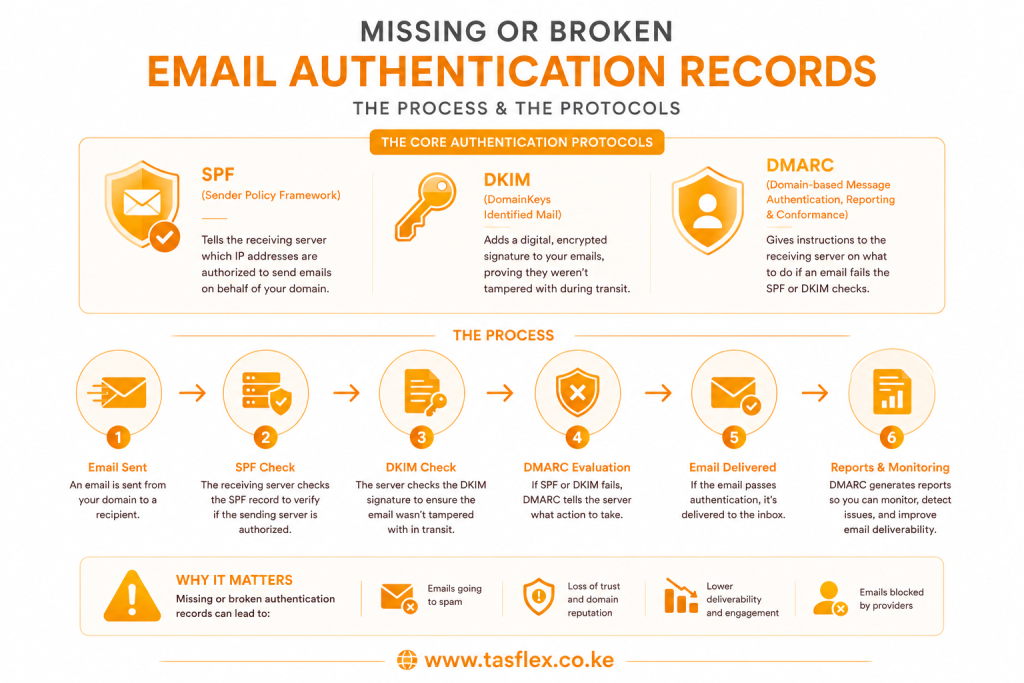
- SPF (Sender Policy Framework): Tells the receiving server which IP addresses are authorized to send emails on behalf of your domain.
- DKIM (DomainKeys Identified Mail): Adds a digital, encrypted signature to your emails, proving they weren’t tampered with during transit.
- DMARC: Gives instructions to the receiving server on what to do if an email fails the SPF or DKIM checks.
The Fix: If setting up server records sounds completely overwhelming, make sure your initial email foundation is built correctly. Review our step-by-step guide onhow to create a business email address using your domainto ensure your technical backend is fully authenticated.
2. Using “Spammy” Subject Lines and Content Triggers
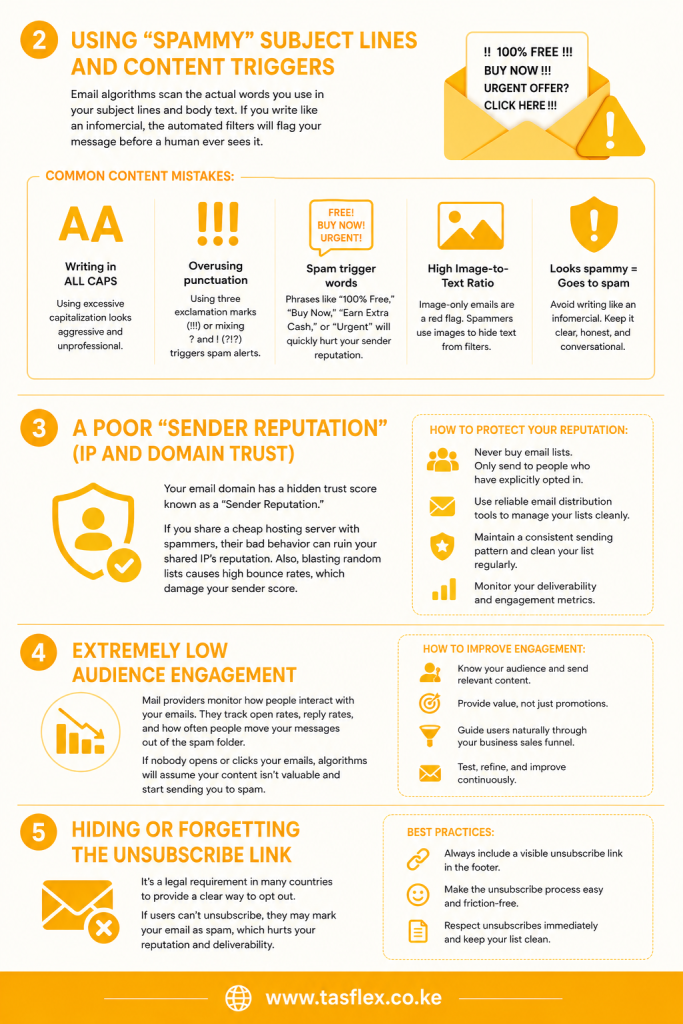
Email algorithms scan the actual words you use in your subject lines and body text. If you write like an infomercial, the automated filters will flag your message before a human ever sees it.
Common Content Mistakes:
- Writing in ALL CAPS: Using excessive capitalization looks aggressive and unprofessional.
- Overusing punctuation: Using three exclamation marks (!!!) or mixing question marks and exclamation marks (?!?) triggers spam alerts.
- Spam trigger words: Heavily leaning on phrases like “100% Free,” “Buy Now,” “Earn Extra Cash,” or “Urgent” will quickly hurt your sender reputation.
- High Image-to-Text Ratio: Sending an email that is just one giant flyer image with no actual text is a massive red flag. Spammers use images to hide text from filters, so algorithms penalize image-only emails.
3. A Poor “Sender Reputation” (IP and Domain Trust)
Just like authority building dictates your website’s search engine rankings, your email domain has a hidden trust score known as a “Sender Reputation.”
If you share a cheap hosting server with other businesses that send out spam, their bad behavior can ruin the reputation of your shared IP address. Additionally, if you purchase a random list of 10,000 email addresses and suddenly blast them all at once, many of those emails will bounce back as invalid. High bounce rates severely damage your sender score.
- How to protect your reputation: Never buy email lists. Only send messages to people who have explicitly opted in. Use reliable distribution tools to manage your lists cleanly. For a breakdown of trusted systems, read our guide on the top 10 email marketing platforms for small businesses.
4. Extremely Low Audience Engagement
Mail providers monitor how people interact with your emails. They track open rates, reply rates, and how often people move your messages out of the spam folder.
If you consistently send weekly newsletters that nobody ever opens or clicks on, Gmail and Outlook will learn that your audience doesn’t care about your content. Over time, the algorithms will start routing your future emails straight to the promotional tab or the junk folder to keep the user’s primary inbox clutter-free.
To keep engagement high, ensure your emails actually provide value and naturally guide users through your business sales funnel rather than just aggressively pushing products.
5. Hiding or Forgetting the Unsubscribe Link
In many countries, it is a strict legal requirement to give recipients a clear, easy way to opt out of your communications. If you do not include an unsubscribe link at the bottom of your promotional emails, spam filters will penalize you heavily.
Even worse, if a user wants to stop receiving your emails but cannot find an unsubscribe button, they will click the “Report Spam” button instead. Just a few manual spam complaints from users can permanently destroy your domain’s deliverability.
Email Deliverability Issue & Correction Method
If you want to know exactly how to stop emails from going to spam, use this method to audit your current communication strategy:
| The Delivery Mistake | Why the Filter Flags It | How to Fix It Immediately |
| No SPF/DKIM Records | The server cannot verify your true identity, assuming you are a scammer. | Log into your domain registrar and update your DNS text records. |
| Purchased Email Lists | Causes high bounce rates and mass user “spam” complaints. | Build organic lists using website lead magnets and opt-in forms. |
| Sales-Heavy Subject Lines | Algorithmic text scanners detect manipulative marketing language. | Write conversational, clear subjects that describe the email’s true value. |
| Missing Unsubscribe Link | Violates anti-spam compliance rules and frustrates your readers. | Ensure every mass email footer has a one-click unsubscribe option. |
Ensure Flawless Communication with Tasflex
Nothing kills a growing business faster than poor communication infrastructure. If you are tired of losing client leads because your proposals and invoices are landing in junk folders, it is time to upgrade your digital foundation.
At Tasflex, we don’t just build websites; we set up secure, authenticated, and highly professional business ecosystems. Whether you need help configuring complex DNS records, establishing clean web hosting environments, or exploring the best ways to create a company email address without a website, we ensure your messages reach your customers flawlessly every single time.
Stop letting technical errors silence your brand. Explore our premium Tasflex custom domain and secure business hosting services today, and let’s keep your business out of the spam folder!
