

Table of Contents
Google reviews are no longer just nice to have, they are a core ranking signal for Local SEO and a primary driver for turning visitors into customers. If your business has a 4.8-star rating but hasn’t received a review in three months, Google’s algorithm may treat you as “inactive.”
Here is the 2026 blueprint for collecting, managing, and displaying reviews to dominate the Kenyan market.
1. Ethical Ways to Get More Reviews
The WhatsApp Window Strategy

In Kenya, WhatsApp is the king of communication. The best time to ask for a review is within 24 hours of a successful delivery or service.
- The Script: “Hi John, thank you for trusting Tasflex with your project! We’re thrilled you’re happy with the result. If you have 30 seconds, could you leave us a review here? It helps us reach more clients like you: Your Direct Link.”
- Pro Tip: Save this as a Quick Reply in your WhatsApp Business settings.
The QR Code at Checkout
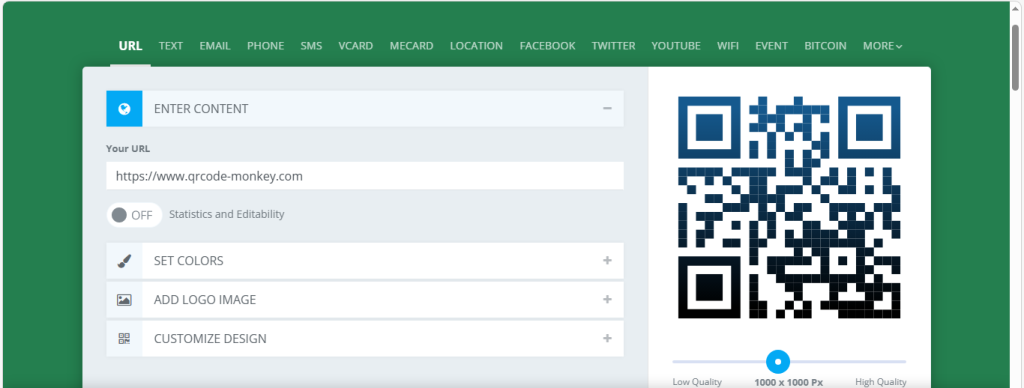
If you have a physical office or shop, use a QR code.
- The Tool: Use QR Code Monkey to create a high-quality code that links directly to your “Write a Review” page.
- Placement: Put it on your reception desk, on the back of your business cards, or even on your digital invoices.
The Email Signature Hack
Every professional email you send is a marketing opportunity.
- The Line: ” Happy with our service? Leave a Google Review“.
2. Tools to Display Reviews on Your Website
Displaying your 5-star ratings on your Tasflex-designed website builds immediate trust. In 2026, you shouldn’t just copy-paste text; you should use dynamic widgets that update automatically.
| Tool | Best For | Platform | Price |
| Trustindex | WordPress Users | WordPress | Free / Paid |
| Trustmary | E-commerce / Shopify | Shopify / CMS | Free / Paid |
| Tagembed | Multi-platform feeds | All CMS | Free / Paid |
| EmbedSocial | Agencies & AI users | All CMS | Free / Paid |
How to Embed (General Steps):
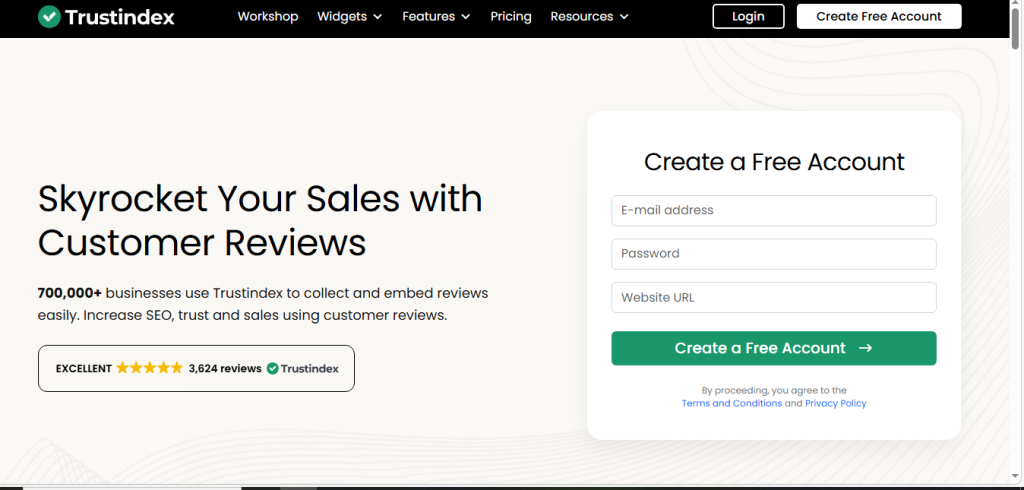
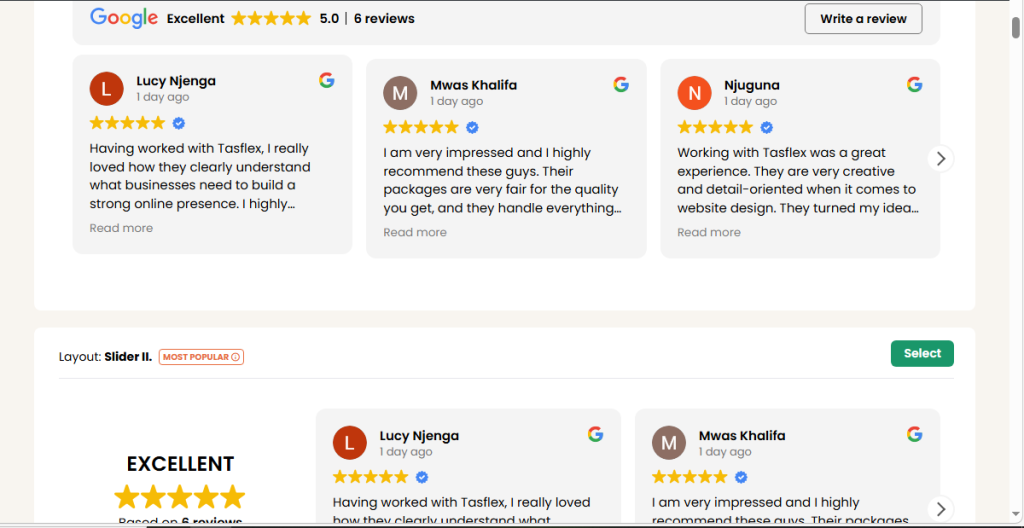
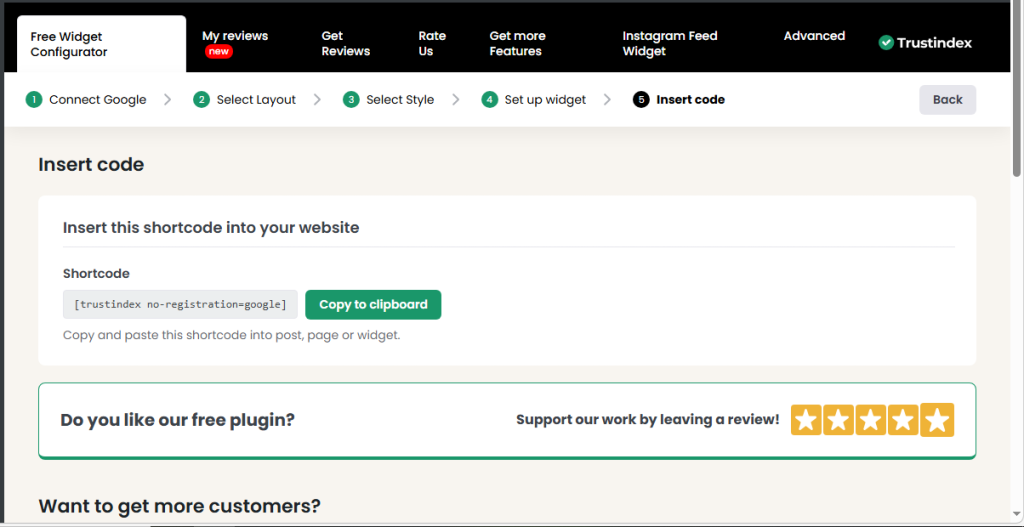
- Connect: Link your Google Business Profile to the tool.
- Customize: Choose a layout (Carousel, Grid, or Floating Badge) that matches your branding.
- Embed: Copy the generated code and paste it into a “Custom HTML” or “Shortcode” block on your site.
3. The 2026 Response Formula (AI & Human)

Google prioritizes businesses that respond to 100% of reviews—positive and negative. This signals that you are an active, high-EQ business.
- The 24-Hour Rule: Aim to respond within 24 hours. A fast response shows you value customer feedback.
- The “Personalization” Rule: Use the customer’s name and mention a specific detail (e.g., “Hi Jane, glad you loved the new web design for your boutique!”).
- Handling Negatives: Never get defensive. Apologize, take the conversation “offline” (offer an email or phone number), and show potential clients that you are committed to making things right.
Frequently Asked Questions (FAQs)
1. Can I offer a discount in exchange for a review?
No. Google’s 2026 policies strictly prohibit “Review Gating” or incentivizing reviews with gifts, discounts, or money. If caught, your entire profile could be suspended.
2. Why are some of my reviews not showing up?
Google uses AI to filter “spammy” reviews. If a customer leaves a review while connected to your office Wi-Fi, or if they use “bot-like” language, Google may hide it.
3. Is there a way to automate review replies?
Yes. Tools like WiserNotify or LocalImpact use AI to generate personalized draft responses based on the review content, which you can then approve and post in one click.
4. How do I get my “Star Rating” to show up in Google Search results?
Use a widget (like Trustmary) that supports Schema Markup. This tells Google to display your gold stars directly under your website URL in search results, increasing your click-through rate.
5. How many reviews do I need to rank #1?
It’s not just about the number—it’s about Velocity (how often you get them) and Diversity (having a mix of 4 and 5 stars makes you look more real).
Turn Your Reputation Into Revenue.
A 5-star rating is your most powerful marketing tool. At Tasflex Designs, we don’t just build sites; we build “Social Proof Systems” that collect and showcase your best reviews to ensure your brand stands out in the 2026 Kenyan market.
Explore our Reputation Management and Web services and let’s start building your 5-star brand.