

Table of Contents
You publish a new blog post targeting a keyword. A few weeks later, you check your rankings and notice something strange. Neither the new post nor the old one is ranking well. Both sit on page two or three of Google, flickering up and down, never sticking.
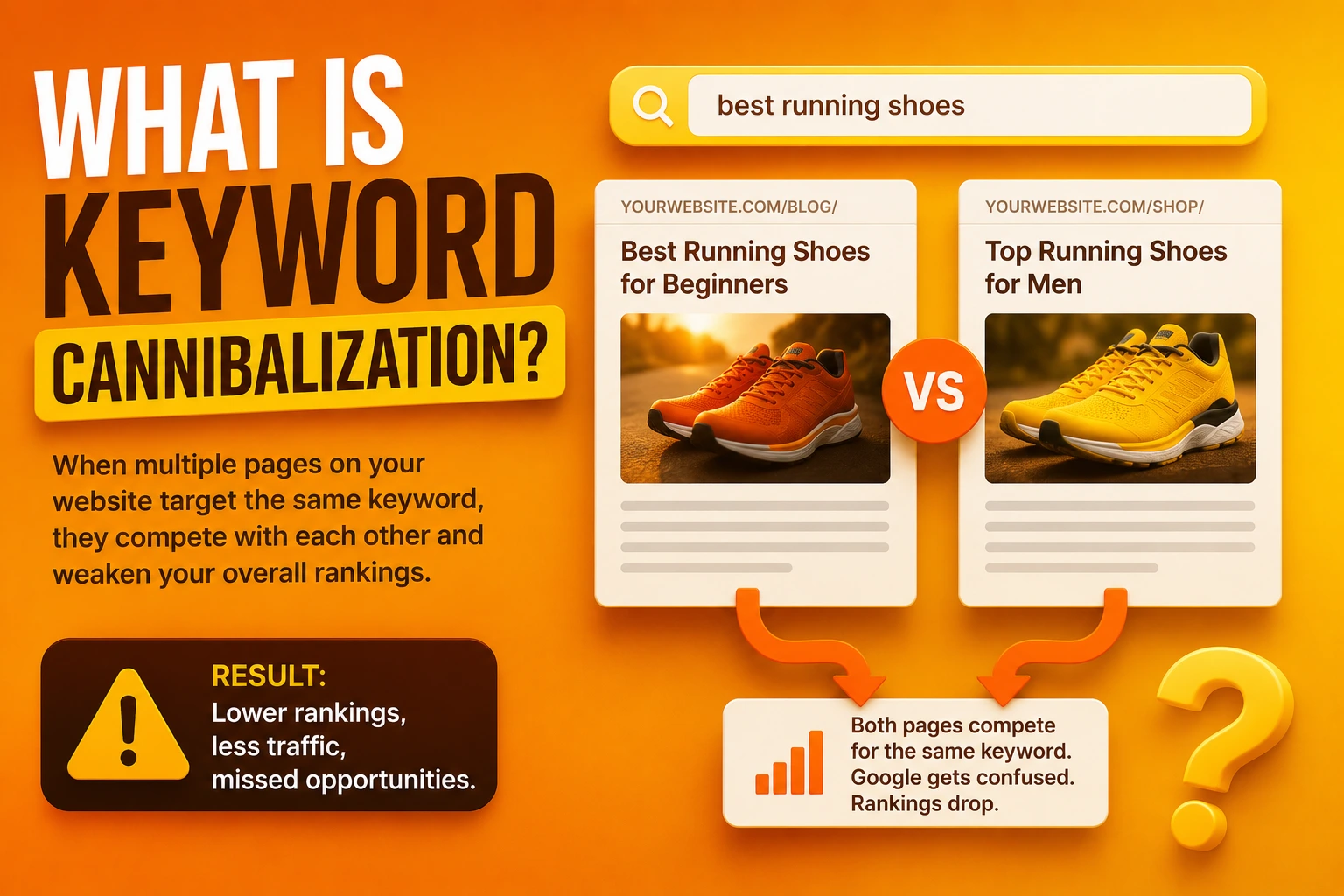
This is keyword cannibalization. It happens when multiple pages on your website target the same search query. Instead of Google seeing one clear authority on the topic, it sees internal competition. Unsure which page to rank, it ranks none of them convincingly.
The good news is that cannibalization is entirely self-inflicted, which means you have the power to fix it. Here is a clear, non-technical framework to identify the problem and resolve it.
Step 1: Spot the Symptoms
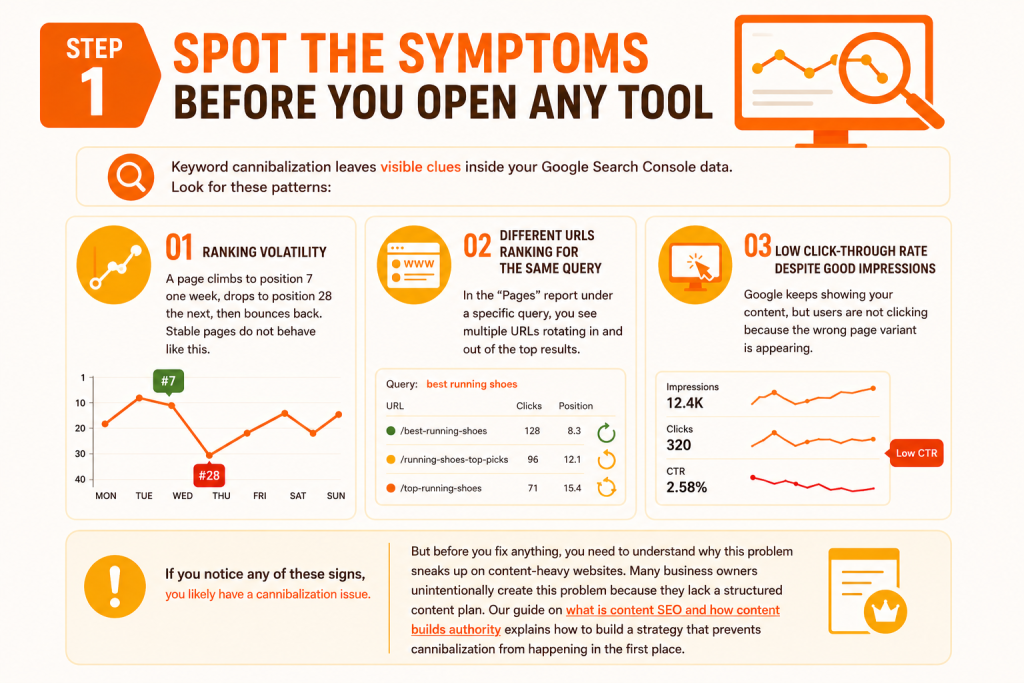
Keyword cannibalization leaves visible clues inside your Google Search Console data. Look for these patterns:
- Ranking Volatility: A page climbs to position 7 one week, drops to position 28 the next, then bounces back. Stable pages do not behave like this.
- Different URLs Ranking for the Same Query: In the “Pages” report under a specific query, you see multiple URLs rotating in and out of the top results.
- Low Click-Through Rate Despite Good Impressions: Google keeps showing your content, but users are not clicking because the wrong page variant is appearing.
If you notice any of these signs, you likely have a cannibalization issue. But before you fix anything, you need to understand why this problem sneaks up on content-heavy websites. Many business owners unintentionally create this problem because they lack a structured content plan. Our guide on what is content SEO and how content builds authority explains how to build topic clusters that prevent this from happening in the first place.
Step 2: Find the Overlap
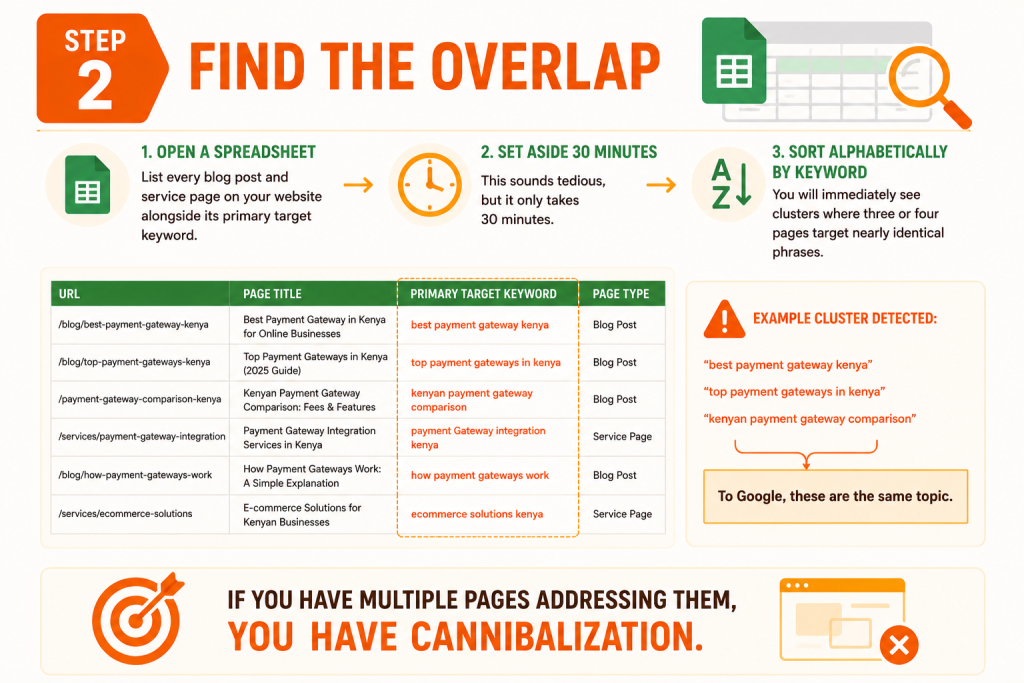
Open a spreadsheet. List every blog post and service page on your website alongside its primary target keyword. This sounds tedious, but it only takes 30 minutes.
Once listed, sort alphabetically by keyword. You will immediately see clusters where three or four pages target nearly identical phrases. For example:
- “best payment gateway Kenya”
- “top payment gateways in Kenya”
- “Kenyan payment gateway comparison”
To Google, these are the same topic. If you have multiple pages addressing them, you have cannibalization.
Step 3: Decide What to Do with Each Page
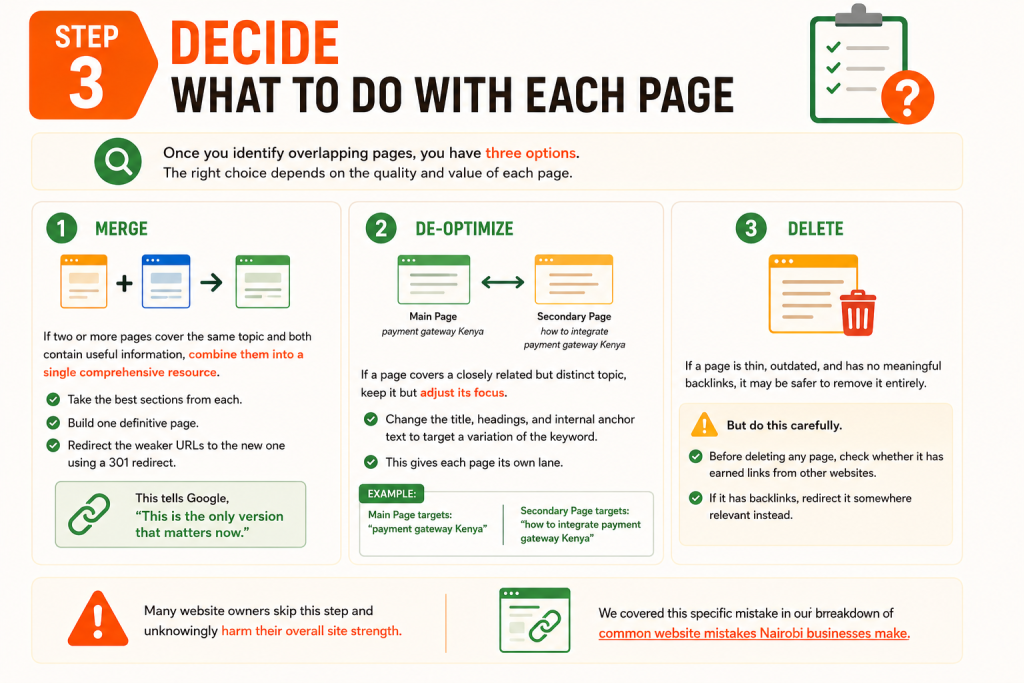
Once you identify overlapping pages, you have three options. The right choice depends on the quality and value of each page.
Merge: If two or more pages cover the same topic and both contain useful information, combine them into a single comprehensive resource. Take the best sections from each, build one definitive page, and redirect the weaker URLs to the new one using a 301 redirect. This tells Google, “This is the only version that matters now.”
De-optimize: If a page covers a closely related but distinct topic, keep it but adjust its focus. Change the title, headings, and internal anchor text to target a variation of the keyword. For example, if your main page targets “payment gateway Kenya,” the secondary page can target “how to integrate payment gateway Kenya.” This gives each page its own lane.
Delete: If a page is thin, outdated, and has no meaningful backlinks, it may be safer to remove it entirely. But do this carefully. Before deleting any page, check whether it has earned links from other websites. If it has backlinks, redirect it somewhere relevant instead. Many website owners skip this step and unknowingly harm their overall site strength. We covered this specific mistake in our breakdown of common website mistakes Nairobi businesses make.
Step 4: Use Internal Links to Reinforce the Hierarchy
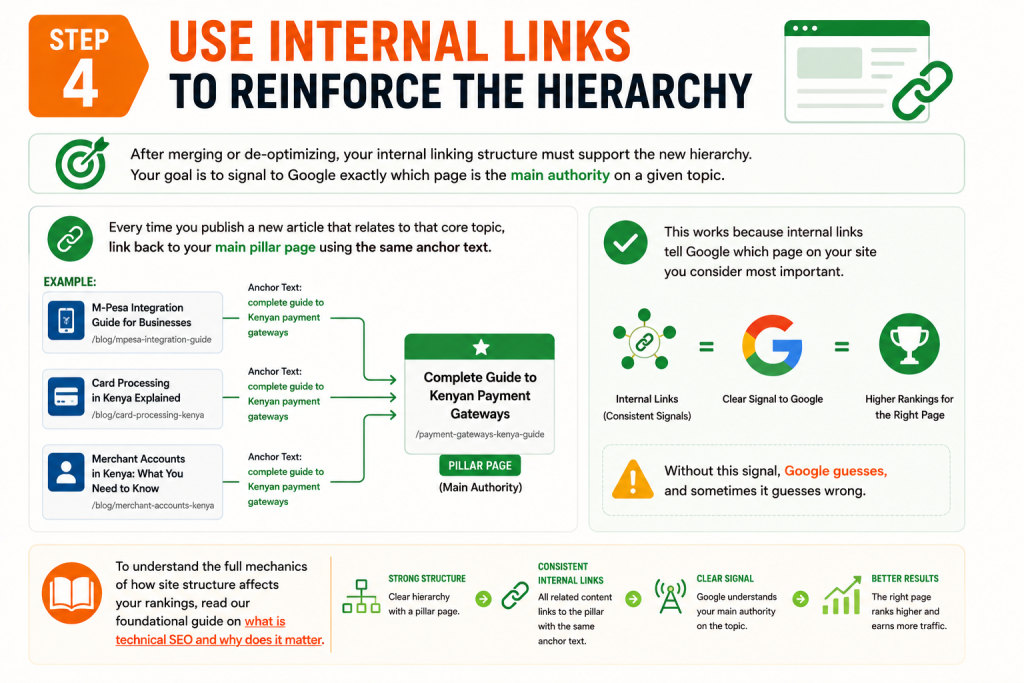
After merging or de-optimizing, your internal linking structure must support the new hierarchy. Your goal is to signal to Google exactly which page is the main authority on a given topic.
Every time you publish a new article that relates to that core topic, link back to your main pillar page using the same anchor text. For example, if you want the page “complete guide to Kenyan payment gateways” to rank, then every blog post you write about M-Pesa integration, card processing, or merchant accounts should link back to that guide with descriptive, consistent anchor text.
This works because internal links tell Google which page on your site you consider most important. Without this signal, Google guesses, and sometimes it guesses wrong. To understand the full mechanics of how site structure affects your rankings, read our foundational guide on what is technical SEO and why does it matter.
Step 5: Monitor the Recovery
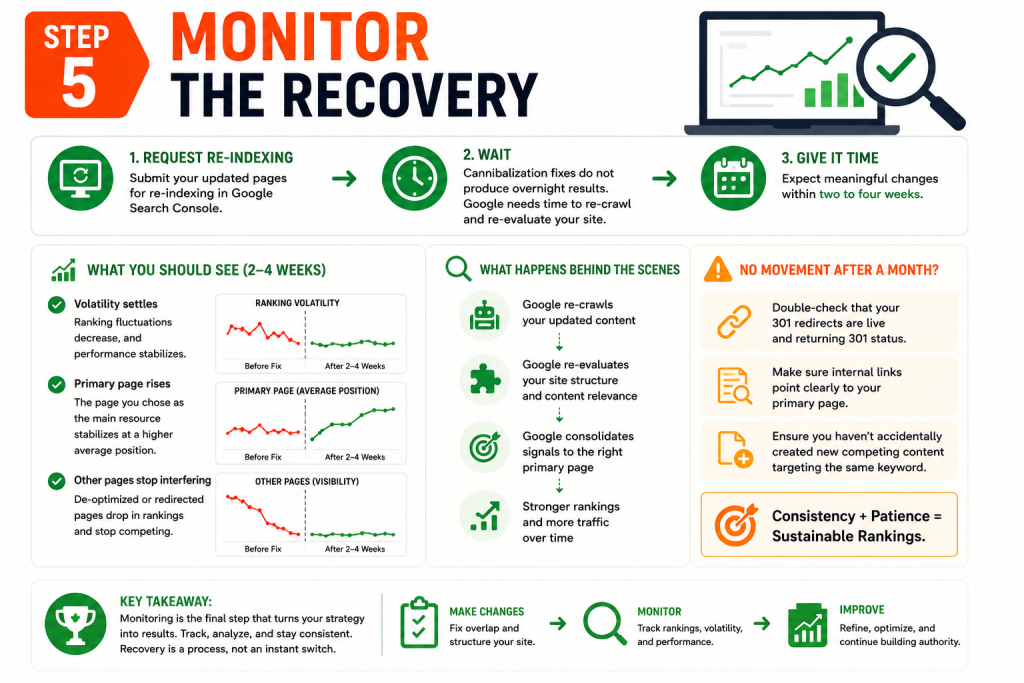
After making these changes, request re-indexing of the updated pages through Google Search Console. Then, wait. Cannibalization fixes do not produce overnight results because Google needs time to re-crawl and re-evaluate your site structure.
Within two to four weeks, you should see the volatility settle. The page you chose as the primary resource should stabilize at a higher average position. The pages you de-optimized or redirected should stop interfering. If you don’t see movement after a month, double-check that your 301 redirects are live and that you haven’t accidentally created new competing content in the meantime.
Prevent It from Happening Again
The best cure for cannibalization is prevention. Before you write any new blog post, search your own website to see if you have already covered the topic. Ask yourself: does this new piece deserve its own page, or is it a subsection of an existing guide?
A good rule is to maintain a simple content inventory. Every quarter, review your blog against your target keywords. If you spot two pages drifting toward the same topic, catch it early before Google penalizes you for it.
If your traffic has already dropped and you are unsure whether cannibalization is the root cause, a full content audit will reveal the full picture. We wrote a step-by-step walkthrough on how to perform a content audit to rescue declining organic traffic that guides you through the diagnostic process.
Frequently Asked Questions About Keyword Cannibalization
How do I know if I have keyword cannibalization or just strong topical coverage?
Strong topical coverage means different pages successfully rank for related but distinct queries within a topic cluster. Cannibalization means multiple pages fight for the exact same query, causing all of them to underperform. The simplest test: go to Google Search Console, click on a search query you care about, and look at the “Pages” tab. If you see three or four URLs all ranking between positions 8 and 30 for that same query, you have cannibalization. If one page ranks at position 2 and another ranks at position 15 for a slightly different variation of the query, that is healthy topical coverage.
Will deleting a cannibalized page hurt my overall site traffic?
It can, which is why deletion should be your last option. If the page has any backlinks or organic traffic for other keywords, you will lose that value when you delete it. Always check the page’s backlink profile and full keyword portfolio before deciding. In most cases, merging the content into a stronger page and implementing a 301 redirect is the safer option because it passes the equity forward. We discuss the broader impact of removing pages in our guide on 5 common SEO mistakes that kill website traffic.
How long does it take for Google to recognize my cannibalization fix?
After you implement 301 redirects, consolidate content, and request indexing through Google Search Console, Google typically takes between one and four weeks to re-crawl the affected pages and adjust the rankings. Sites with higher crawl frequency see faster resolution. During this period, do not make additional changes to those pages. Let the signals stabilize so Google can process the new structure cleanly.
Can an e-commerce store have keyword cannibalization on product pages?
Yes, and it is very common. E-commerce stores frequently create cannibalization through product variation pages, category filters, and color or size options that generate separate URLs with near-identical content. For example, a blue t-shirt page and a red t-shirt page might both target “buy t-shirt Kenya,” especially if the descriptions are mostly the same. The fix is to use canonical tags to point variant pages to a primary product page, or to rewrite descriptions so each page targets a distinct, specific keyword. For stores running on platforms like WooCommerce, our article on the best e-commerce website features for higher sales covers the structural setups that reduce these technical SEO risks.
Does keyword cannibalization affect my home page?
Yes, and this is one of the hardest forms to spot. Many businesses optimize their home page for a high-value keyword like “web designer Kenya” or “best hosting Kenya,” and then also create dedicated service pages targeting those same exact phrases. The home page, being more authoritative, often wins the ranking, but the service page has the better conversion design. The result is that your highest-authority page pulls traffic but your best-converting page never gets seen. The fix is to shift your home page focus to your brand name and a broader value proposition, then let your dedicated service pages handle specific keyword targets.
Is it cannibalization if my blog post and my product page target the same keyword?
Yes, this is a very common conflict between informational content and commercial pages. Your blog post may rank for an informational query, but if you accidentally optimize both it and your product page for a commercial keyword like “buy running shoes Kenya,” they will interfere with each other. The solution is to define clear intent boundaries. Product pages should target transactional and commercial investigation keywords. Blog posts should target informational queries. When they overlap, adjust the blog post to answer a related question instead, and point a contextual internal link from the blog post to the product page. For more on structuring product pages that actually convert the traffic they capture, we explain the framework in our article on why your product pages are not converting visitors into customers.